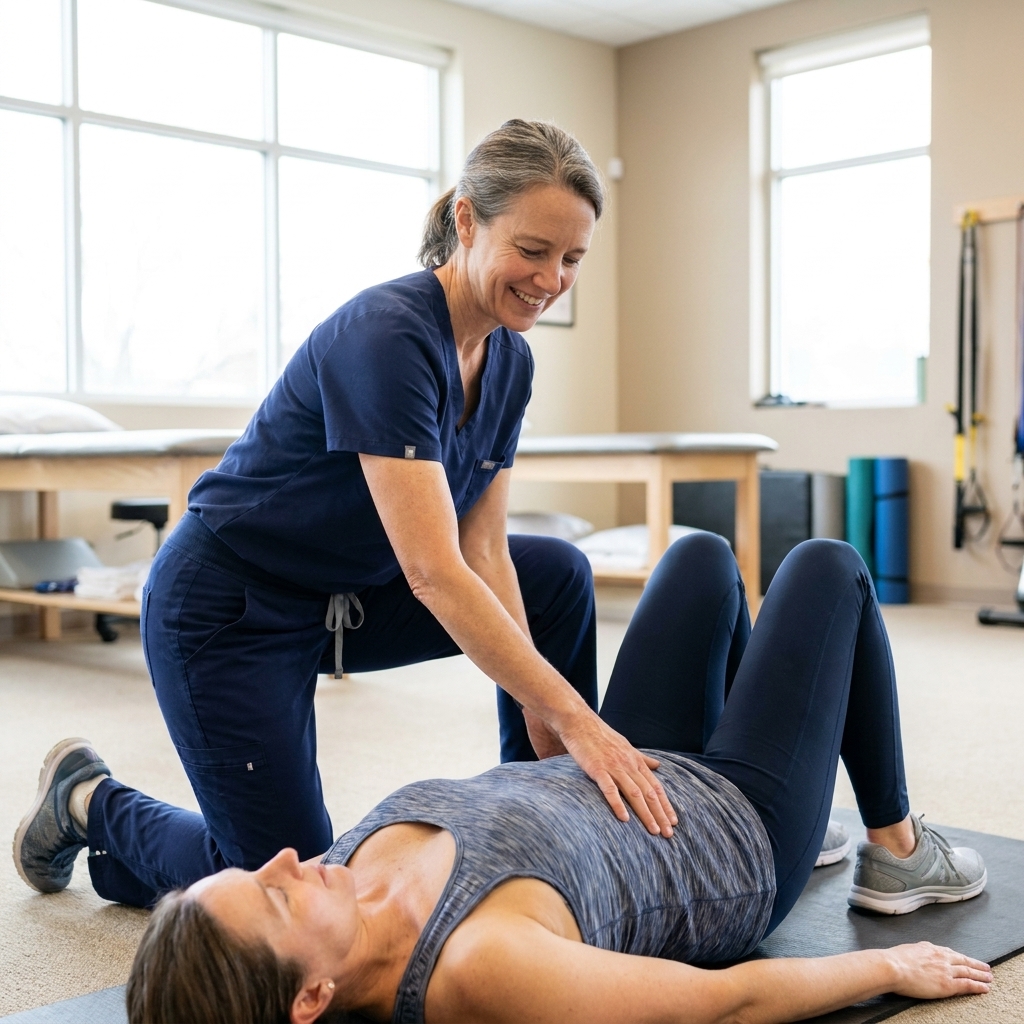
Remote work can be a gift, but your lower back does not always agree. In clinic, I see the same pattern again and again: a kitchen chair that was “fine for a week,” a laptop on a couch, long meetings with zero movement, and then a nagging ache that slowly becomes the new normal.
The good news is that many cases of work-from-home back pain are preventable or at least very manageable. You do not need a perfect designer office. You need a setup that supports your spine’s natural curves, and a routine that reminds your muscles they are meant to move. (And a quick note: some back pain is driven by things ergonomics alone cannot fully prevent, like disc irritation, inflammatory conditions, pregnancy-related changes, or structural issues. If your symptoms are persistent or worsening, get support early.)
Why lower back pain shows up with remote work
Your lower back is designed to stabilize you while your hips and upper back do most of the bending and rotating. When you sit for long stretches, especially with a slouched posture, a few things can happen:
- Hip flexors can tighten, which may contribute to changes in pelvic position and extra stress through the low back.
- Glutes and deep core muscles “go quiet,” so the low back tries to do more than its share.
- Spinal discs and joints experience steady pressure without the relief that comes from standing and walking.
- Neck and upper back strain from looking down at a laptop can contribute to a rounded posture that loads the mid and lower back.
This is not about blaming your body. It is about adjusting the environment and habits that are quietly loading your back all day.
The 2-minute self-check
Before you change a thing, take a quick inventory. These clues help you target the right fix:
- Ache that builds through the day: often posture and prolonged sitting.
- Pain when you stand after sitting: common with tight hips and a stiff lower back.
- One-sided pain near the beltline: often uneven sitting, crossing legs, or leaning on one elbow.
- Pinch with bending or twisting: may be irritation of joints or discs, especially if you have done a lot of slumped sitting.
If any movement causes sharp pain, symptoms are progressing, or pain is traveling down the leg, skip the experimentation and talk with a clinician or physical therapist.
Set up your workspace
1) Chair: support your pelvis first
If I could change only one thing for most remote workers, it would be the chair setup. Your pelvis is the foundation. When it tips or you have to hold yourself up with tense muscles, your lower back pays the price.
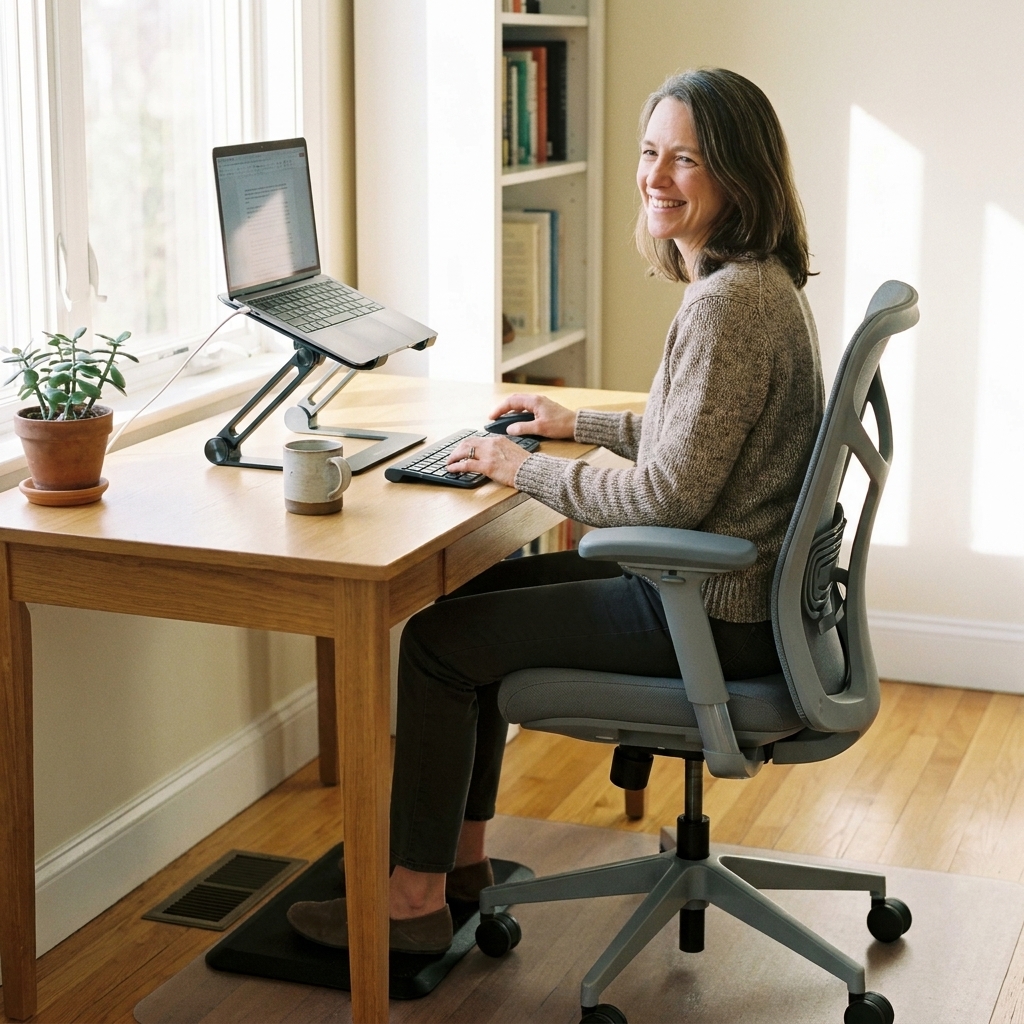
- Sit back so your hips are all the way against the backrest.
- Keep feet supported on the floor. If they dangle, use a small box, sturdy book stack, or footrest.
- Aim for knees roughly level with hips, with feet planted and weight evenly distributed. If the seat is too high and your feet are not supported, you will tend to slide forward or slump.
- Use lumbar support. If your chair has none, roll a small towel and place it at the curve of your low back, not mid-back.
Quick test: When you sit, you should feel supported, not “held up” by your lower back muscles.
2) Desk height: elbows close to 90 degrees
Your desk should let your shoulders relax. If your desk is too high, you hike your shoulders and tense your back. Too low, and you fold forward.
- Elbows near 90 degrees when typing.
- Forearms supported by the desk or armrests, without shrugging.
- Wrists neutral, not bent up toward you.
3) Screen position: eye level matters
Looking down at a laptop is a fast track to rounded shoulders and a slumped lower back.
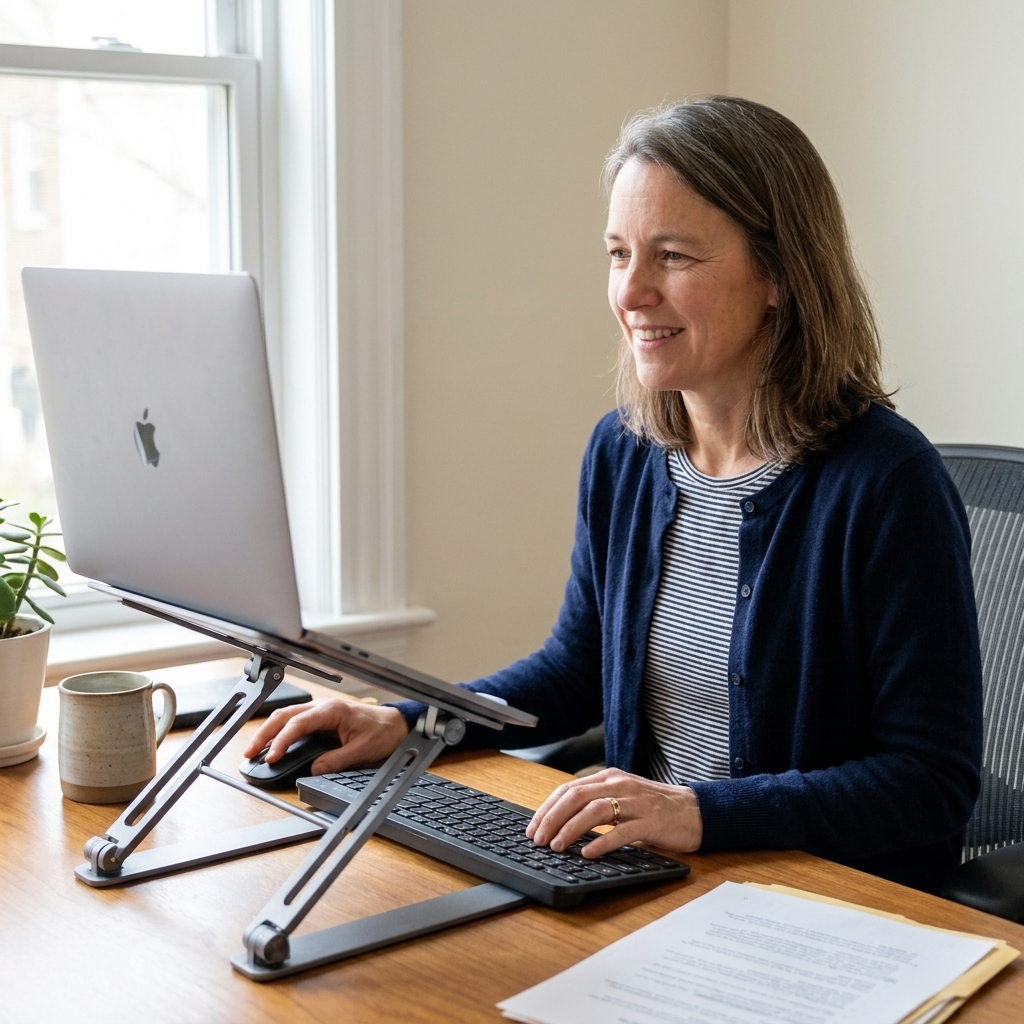
- Top of the screen at or slightly below eye level.
- Screen about an arm’s length away.
- Use a laptop stand or a stack of books, then add an external keyboard and mouse if you can.
If you use a laptop 4 or more hours a day, consider an external monitor. It is often the simplest upgrade for your neck and back.
Small space solutions
Not everyone has a spare room and an ergonomic chair. Here are realistic upgrades that make a noticeable difference:
Working from a kitchen table
- Add lumbar support: rolled towel or small pillow behind your low back.
- Raise the screen: books under the laptop, then use an external keyboard and mouse.
- Sit on a folded blanket to slightly raise your hips if the chair is low.
Working from a couch
Best avoided, but sometimes necessary.
- Do not type with the laptop on your lap for long stretches.
- Use firm cushions so your hips are not sinking below your knees.
- Support your arms with pillows to reduce shoulder and back tension.
- Set a strict timer and move every 20 to 30 minutes.
Standing desk or converter
Standing can help, but it is not a cure-all. Standing still for hours can irritate the low back too.
- Alternate positions every 30 to 60 minutes.
- Keep the same screen and elbow rules as sitting.
- Use a small footrest and switch feet periodically to unload the low back.
- Consider supportive shoes or an anti-fatigue mat if you stand a lot.
Your movement plan
Ergonomics reduces strain, but movement is the prevention strategy that holds everything together. Here is a simple structure I use with patients. It is not a formal medical rule, just a framework that is easy to remember:
- Every 20 minutes: change position. Uncross your legs, reset posture, take 2 deep breaths.
- Every 2 hours: stand up for 2 to 5 minutes. Walk to the sink, do a quick stretch, refill water.
- Every day: 20 minutes of purposeful movement. A brisk walk, gentle strength routine, yoga, or cycling all count.
If you are thinking, “I will forget,” that is normal. Put it on your calendar the way you would a meeting, because your back does not care how busy your inbox is.
Stretching routine
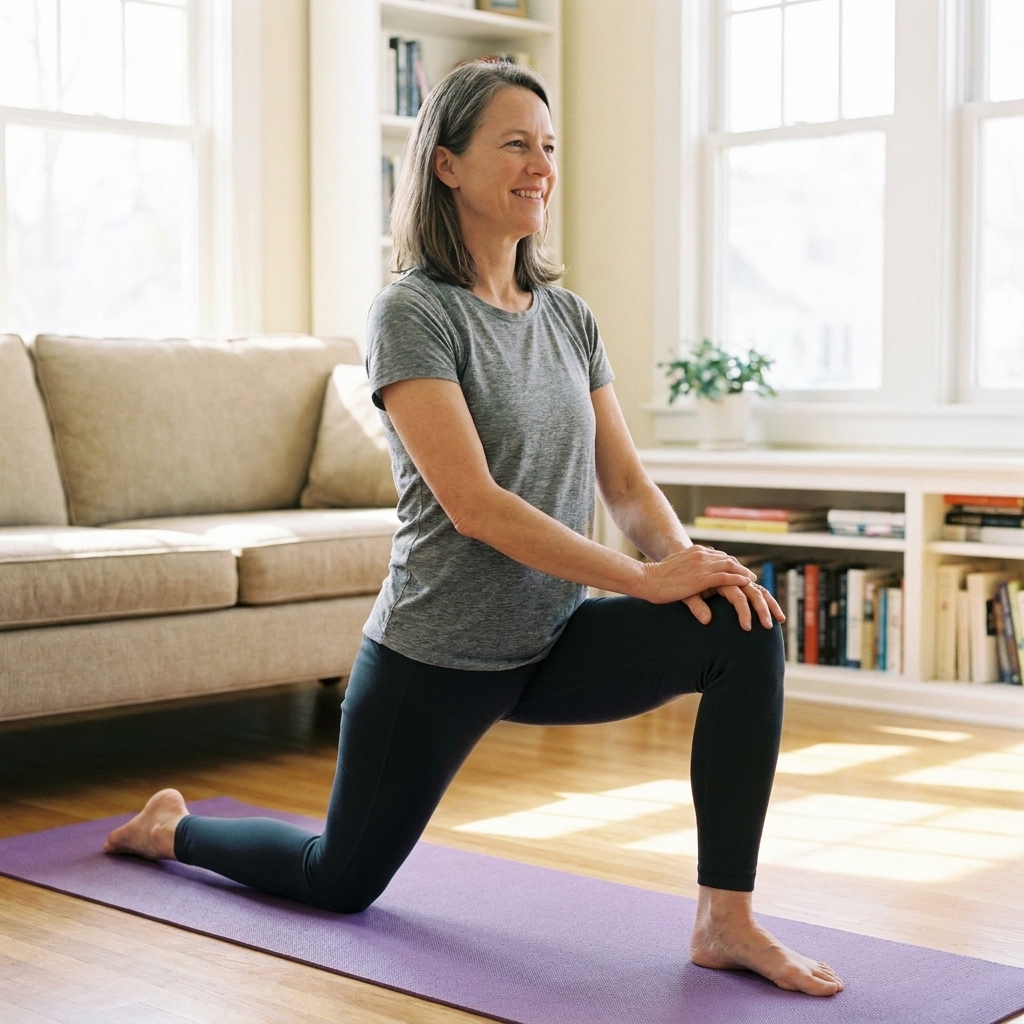
These stretches focus on the most common tight areas I see in desk workers: hips, hamstrings, and the mid-back. None should cause sharp pain. You should feel mild to moderate stretching, not strain.
Pain rule that helps: if a stretch or exercise increases your pain beyond mild discomfort, triggers tingling, or makes symptoms travel down the leg, scale it back or skip it and get guidance.
Do this once or twice a day (6 to 8 minutes)
- Hip flexor stretch (kneeling lunge): 30 seconds each side. Keep ribs stacked over hips. You should feel it in the front of the hip, not in the low back.
- Figure-4 glute stretch (seated or lying): 30 seconds each side. Great for that deep “sitting too long” ache.
- Hamstring stretch (on a chair): 30 seconds each side. Keep your back long, hinge at the hips.
- Thoracic rotation (open book): 6 to 8 slow reps each side to unwind the upper back, which often helps take pressure off the low back.
- Child’s pose with side reach: 30 seconds center, then 20 seconds each side for the lats and low back.
Strength habits
Stretching feels good. Strength is what makes the results stick. You do not need intense workouts. You need consistency and good form, and a gradual build that your body tolerates.
Try this 3 times a week (10 minutes)
- Glute bridge: 2 sets of 10 to 12. Pause 2 seconds at the top.
- Bird-dog: 2 sets of 6 to 8 per side. Move slowly and keep hips level.
- Side plank (modified on knees is fine): 2 rounds of 15 to 30 seconds per side.
- Sit-to-stand from a chair: 2 sets of 8 to 10. Use your hips, not momentum.
If you have osteoporosis, recent surgery, or a known spine condition, check in with your clinician or physical therapist about the safest strengthening plan for you.
Posture cues
“Sit up straight” is not helpful advice, and it is rarely sustainable. Instead, aim for supported and neutral:
- Feet heavy on the floor, weight evenly distributed.
- Imagine your pelvis as a bowl that is not spilling forward or backward.
- Ribs stacked over hips, not flared upward.
- Shoulders relaxed and slightly back, like you are making room for a deep breath.
- Chin gently tucked, like you are holding a peach under your chin without squishing it.
If your posture only works when you are thinking about it, your setup needs adjusting. Good ergonomics should feel almost automatic.
Common triggers
- Working from bed: it encourages a curled spine and poor neck position.
- Crossing legs for hours: can twist the pelvis and irritate one side of the low back.
- Cradling the phone: forces neck and shoulder tension that can spread downward.
- “Marathon sitting” because you are in a flow state. Set the timer anyway.
- Ignoring stress: muscle tension is real. High stress often shows up as a clenched jaw, elevated shoulders, and a tight low back.
If you have sciatica-like symptoms
If pain shoots down the leg, or you have numbness or tingling, treat it as a sign to be more cautious. Keep movement gentle and avoid forcing stretches that reproduce nerve symptoms.
- Skip aggressive hamstring stretching if it increases tingling or leg pain. A “stretch” that lights up symptoms is not the goal.
- Prioritize neutral posture and frequent position changes over long holds at end range.
- Get evaluated if symptoms are worsening, you notice increasing weakness, or the pain is not improving over time.
When to get medical help
Most mild back pain improves with movement, ergonomic changes, and time. But some symptoms should be evaluated promptly.
Seek urgent care now if you have:
- New loss of bowel or bladder control
- Numbness in the groin or saddle area
- Weakness in a leg that is worsening
- Severe pain after a fall, accident, or injury
- Fever, unexplained weight loss, or history of cancer with new back pain
Make an appointment soon if:
- Pain lasts more than 2 to 4 weeks despite home changes
- Pain regularly wakes you at night
- Pain shoots down the leg with numbness or tingling
- You need increasing amounts of medication just to get through the day
You deserve a plan that fits your body, your history, and your day-to-day demands.
Quick FAQ
Is a standing desk better for lower back pain?
It can help if you alternate sitting and standing. Standing all day can aggravate the low back too. Think variety, not one perfect posture.
Do I need an expensive ergonomic chair?
No. A supportive chair helps, but many people do well with a basic chair plus a lumbar towel roll, proper desk height, and regular movement breaks.
Should I use a back brace while working?
For routine desk work, I generally prefer building strength and improving setup rather than relying on a brace. Some braces are useful short-term for specific injuries. Ask your clinician if you are considering one.
What is the best sleep position if my back hurts from sitting?
Many people feel better sleeping on their side with a pillow between the knees, or on their back with a pillow under the knees. The goal is to keep the spine in a comfortable neutral position.
Your next steps
If you want a simple starting point, do these three things today:
- Place a small towel roll behind your low back and put both feet flat on the floor.
- Raise your screen closer to eye level.
- Set two movement reminders on your calendar and keep them like appointments.
Small changes done consistently protect your back far more than one “perfect” setup you cannot maintain. Your spine is resilient, and with the right support, it can feel that way again.